How to Stack Heated Liners and Outer Gloves: Step-by-Step Setup for Maximum Warmth and Dexterity
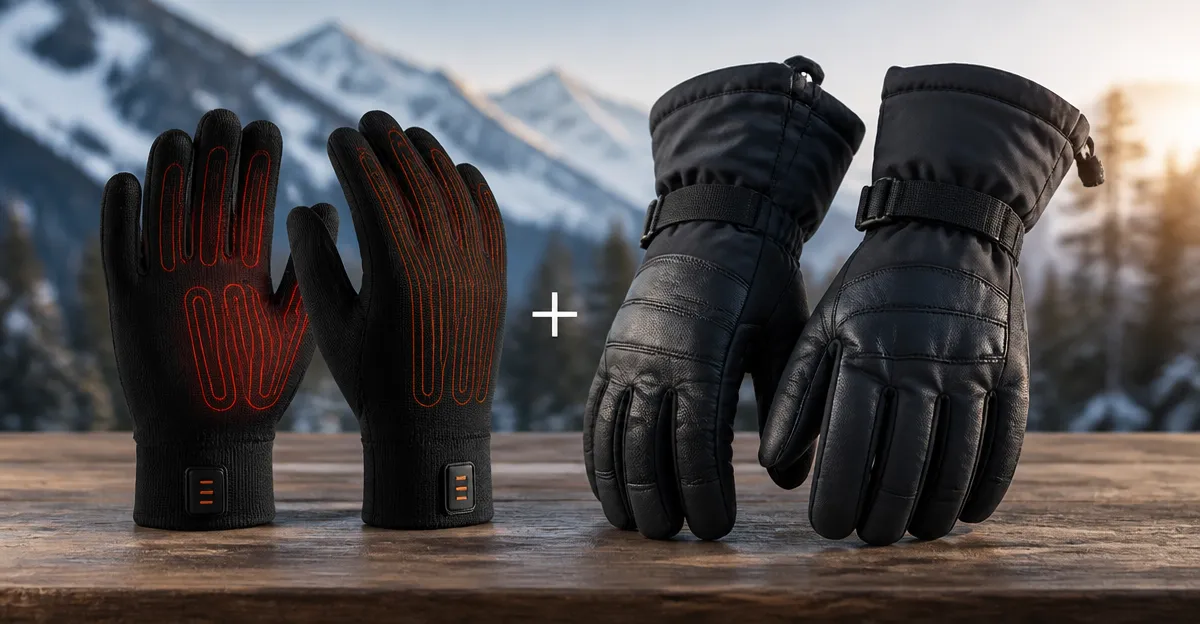
In this guide, the reader will learn how to combine thin glove liners with insulated outer gloves to achieve the highest possible warmth while preserving fingertip dexterity. The method is valuable for anyone who spends extended time outdoors in cold weather, whether running, skiing, or performing outdoor work. By following the steps, one can maintain touchscreen capability, reduce the risk of frostbite, and avoid the bulk associated with a single heavy glove.
What You’ll Need
- Under Armour Storm Liner Gloves – $25.00, 4.6/5 rating
- WEIVIOQ Heated Glove Liners – $71.99, 4.6/5 rating
- Smartwool Liner Gloves – $28.00, 4.4/5 rating
- Minus33 Merino Wool Glove Liners – $19.99, 4.3/5 rating
- PEKWZIZ Heated Waterproof Gloves – $59.99, 4.0/5 rating
- Rechargeable battery pack (included with heated liners)
- Optional: thin, waterproof outer shell (e.g., ski glove)
Step 1: Select the Appropriate Liner for Your Activity
The first decision concerns the liner that will sit directly against the skin. For moderate cold and high dexterity, the Under Armour Storm Liner Gloves provide a lightweight, breathable barrier with touchscreen capability. Their UA Storm technology repels water without sacrificing breathability, making them ideal for running or cycling where sweat management is critical. At $25.00 and a 4.6/5 rating from 4,549 reviews, they offer high value.
When extended warmth is required, the WEIVIOQ Heated Glove Liners deliver up to six hours of heat via a 7.4V 2200mAh Li‑ion battery. The three heat settings allow precise temperature control, and the far‑infrared fiber heating element stimulates circulation—beneficial for users with Raynaud’s or arthritis. Although priced at $71.99, the heated functionality justifies the cost for prolonged outdoor exposure.
For a natural‑fiber option, the Smartwool Liner Gloves combine Merino wool with recycled polyester, offering moisture‑wicking and temperature regulation. Their thin profile makes them suitable as a base layer under heavier gloves, and the touchscreen‑compatible thumb and index finger add convenience. At $28.00 and a 4.4/5 rating, they balance performance and price.
If budget is a primary concern, the Minus33 Merino Wool Glove Liners provide 85% Merino wool warmth for $19.99. They are machine‑washable and work well for low‑intensity activities such as tent camping or driving. Their 4.3/5 rating confirms reliable quality.
Step 2: Choose an Outer Glove That Complements the Liner
After selecting a liner, the outer glove must protect against wind, snow, and impact while preserving the heat generated by the liner. The PEKWZIZ Heated Waterproof Gloves serve as an all‑in‑one solution for users who prefer a single heated outer layer; however, they are bulkier than a traditional shell. Their 5V 6000mAh battery provides three heating levels lasting up to five hours, and the waterproof membrane keeps hands dry during wet conditions.
For a non‑heated outer shell, consider a waterproof ski glove or a durable work glove. The key is to select a glove with a snug cuff and a wrist loop to seal out cold air. Pairing a thin liner such as the Under Armour Storm Liner Gloves with a robust outer shell maximizes warmth without excessive bulk.
Step 3: Prepare and Charge the Heated Liner (If Applicable)
If the chosen liner includes heating elements, charge the battery fully before use. The WEIVIOQ and PEKWZIZ models both use rechargeable Li‑ion packs that connect via a USB‑C port. A full charge typically takes 2–3 hours and yields up to six hours of continuous heat on the highest setting. Users should test each heat level outdoors to determine the optimal setting for the day’s temperature.
To avoid moisture damage, ensure the battery compartment is sealed and the liner is dry before insertion. The heating elements are distributed across the back of the hand and fingers, providing even warmth. Remember that heated liners add a slight thickness; verify that the outer glove can accommodate the extra layer without restricting movement.
Step 4: Assemble the Layered System
Begin by sliding the selected liner onto clean, dry hands. Adjust the fit so that the thumb and index finger align with the built‑in touchscreen pads. For heated liners, activate the desired heat setting using the integrated controller. Next, place the outer glove over the liner, ensuring the cuff of the outer glove sits above the liner’s cuff to trap warm air.
Secure any wrist loops or elastic straps on the outer glove to prevent cold air ingress. If the outer glove has adjustable straps, tighten them just enough to create a seal without cutting off circulation. For gloves with a battery pack on the wrist (PEKWZIZ), position the pack on the outer wrist so it does not interfere with a smartwatch or other wearable devices.
Perform a quick touchscreen test by tapping the screen of a smartphone. Both the Under Armour and Smartwool liners feature Tech Touch pads, while the heated liners incorporate touch sensors on the forefinger and thumb. If the screen does not respond, reposition the liner so the conductive area contacts the fingertip.
Step 5: Test Mobility and Adjust as Needed
After assembly, perform a series of motions that mimic the intended activity—gripping a steering wheel, holding a ski pole, or typing on a keyboard. Observe any restriction in finger flexion. If the outer glove feels overly bulky, consider switching to a slimmer shell or using a thinner liner such as the Under Armour model.
Check temperature distribution by placing the hands in a cold environment for 10–15 minutes. If certain fingers feel colder, adjust the liner’s position or increase the heat setting (for heated liners). Ensure that the battery remains securely attached and does not shift during movement.
Tips & Pro Tips
- Carry a spare battery for heated liners on multi‑day trips; the WEIVIOQ liner’s battery can be swapped without removing the gloves.
- Apply a thin layer of hand moisturizer before wearing wool liners to reduce friction and improve comfort.
- When using waterproof outer gloves, avoid excessive sweating; remove the outer glove briefly to air out the liners.
- For extreme cold, combine a heated liner with a waterproof outer glove (PEKWZIZ) to benefit from both active heating and passive insulation.
- Store charged batteries in a cool, dry place to prolong lifespan.
Troubleshooting
| Problem | Possible Cause | Solution |
|---|---|---|
| Gloves feel too bulky | Layering a thick heated liner with a heavy outer glove | Switch to a thinner liner such as Under Armour or Smartwool; choose a slimmer outer shell. |
| Touchscreen does not work | Conductive pads misaligned or covered by thick material | Re‑position the liner so thumb and index finger pads are exposed; ensure outer glove cuff does not cover pads. |
| Battery drains quickly | High heat setting in very cold weather | Reduce heat level to medium or low; limit active heating to periods of intense cold. |
| Gloves become damp | Water penetration in outer glove | Replace outer glove with a waterproof model; dry liners promptly. |
Conclusion
By carefully selecting a liner, preparing any heating components, and pairing the liner with a compatible outer glove, one can achieve maximum warmth while retaining essential dexterity. The steps outlined above enable users to customize their hand protection for a wide range of cold‑weather activities, from running to heavy outdoor labor. Proper layering, battery management, and fit adjustments ensure that hands stay warm, dry, and functional throughout the day.
Products Mentioned in This Guide
Frequently Asked Questions
How do I correctly layer a heated liner with an outer glove?
Place the heated liner directly against your skin, then slip the insulated outer glove over it, ensuring the cuffs overlap for a seal.
Will stacking gloves affect touchscreen use?
Yes—choose a thin heated liner with conductive fingertips so you can operate touchscreens without removing the outer glove.
Can I use any heated liner with any outer glove?
Most thin heated liners work with standard insulated gloves, but verify that the outer glove’s cuff is roomy enough to accommodate the liner comfortably.
How can I prevent overheating when using heated liners?
Set the liner’s temperature to a low or medium setting and monitor your hand’s warmth, removing the outer glove if you feel excessive heat.
What are the benefits of stacking versus a single heavy glove?
Stacking provides superior warmth, better dexterity, and less bulk, while allowing you to adjust each layer for activity‑specific comfort.